BEPRO Space
BEPRO Editor
Cerberus
Login & Signup
Request Match Analysis
0
BEPRO Space
Basic
All Users
Event Clips
Let's learn how to play event clips
💡
Prerequisites
Analysed match
Event clips are only provided for matches analysed by BEPRO.
For detailed information about match analysis services, please check the Event Analysis page.
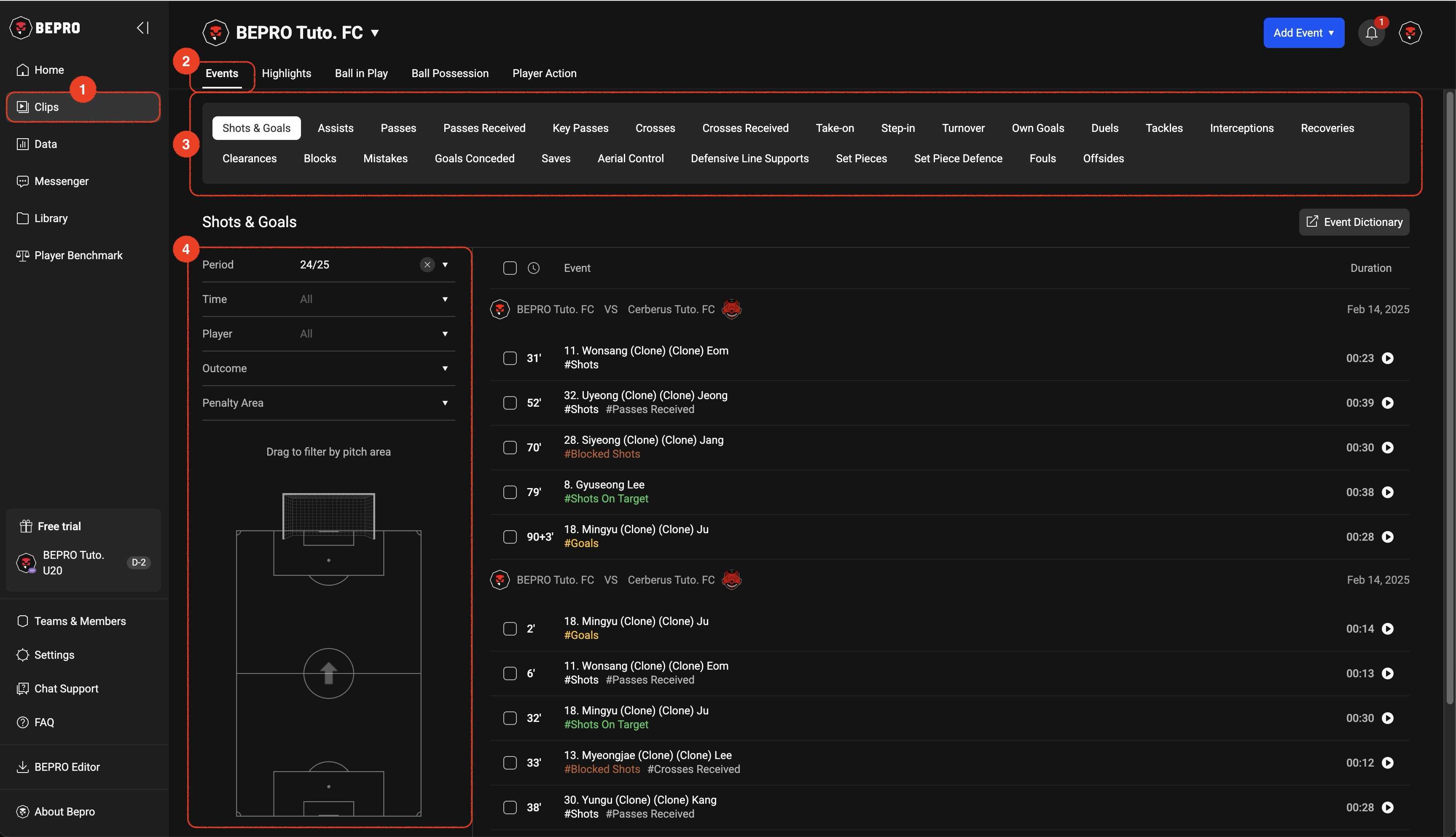
To view event clip videos of analysed matches, first select the Clips menu from the sidebar.
At the top, you'll find menus for Highlights, Ball in Play, Ball Possession, and Player Action in addition to event clips, with Events selected by default.
Directly below, the event list is displayed, which varies depending on the sport.
Below that, on the left side, a detailed filter options panel for the selected event is shown.
Find the events you want using various filters such as time, player, result, and event occurrence area.
Previous
Next