Help Center

EN

Go to Main Page

Help Center

BEPRO Space

BEPRO Editor

Cerberus

Login & Signup

Signup

Login

Reset password

Team

Join a team

Create a new team

Invite team members

Reset team invitation link

Manage team members

Viewer permission setting

Schedule

Create a match event

Create a training event

Upload video to event

Set Match Time

Schedule filters

Video

BEPRO Video Player

Full Match & Training Videos

Event Clips

Match Highlights

Player Highlights

Data

Event Data

Physical Data

Event Definitions

Team Data

Player Data

Request Match Analysis

What is analysis request?

Register Lineup

Register Formation

Library

What is Library?

Save videos in library

Share folder

Messenger

What is messenger?

Create a channel

Create a post

Comment on post videos

0

BEPRO Space

Basic

Staff or Above

Reset team invitation link

Let's learn how to reset team invitation link

If the team invitation link is leaked, users who are not team members may request to join the team.

In this case, you can reset the team invitation link to expire the existing link.
‍

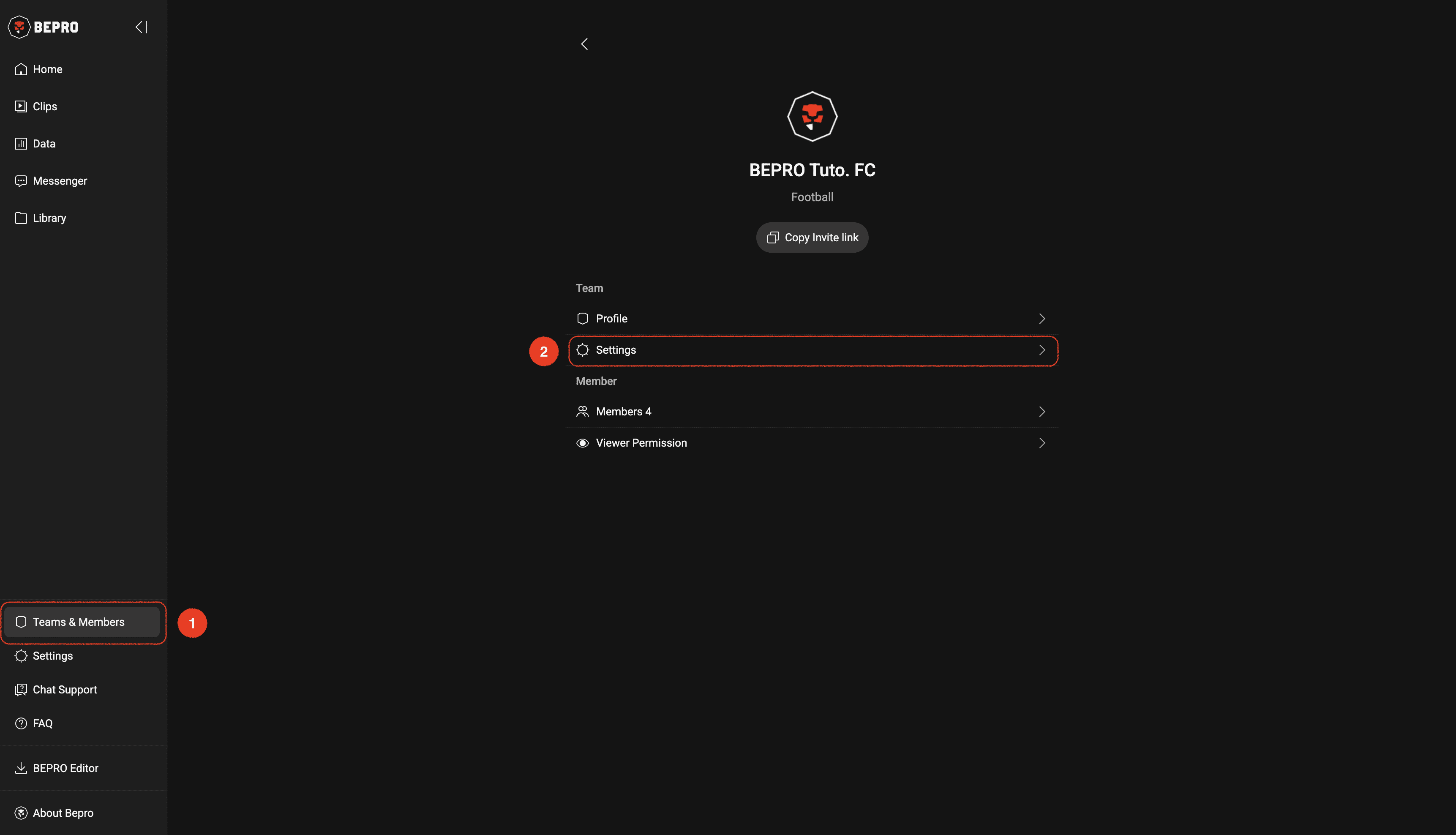
From the Team & Members menu in the side menu, select the desired team and then click on the Settings menu.
‍

__wf_reserved_inherit

‍

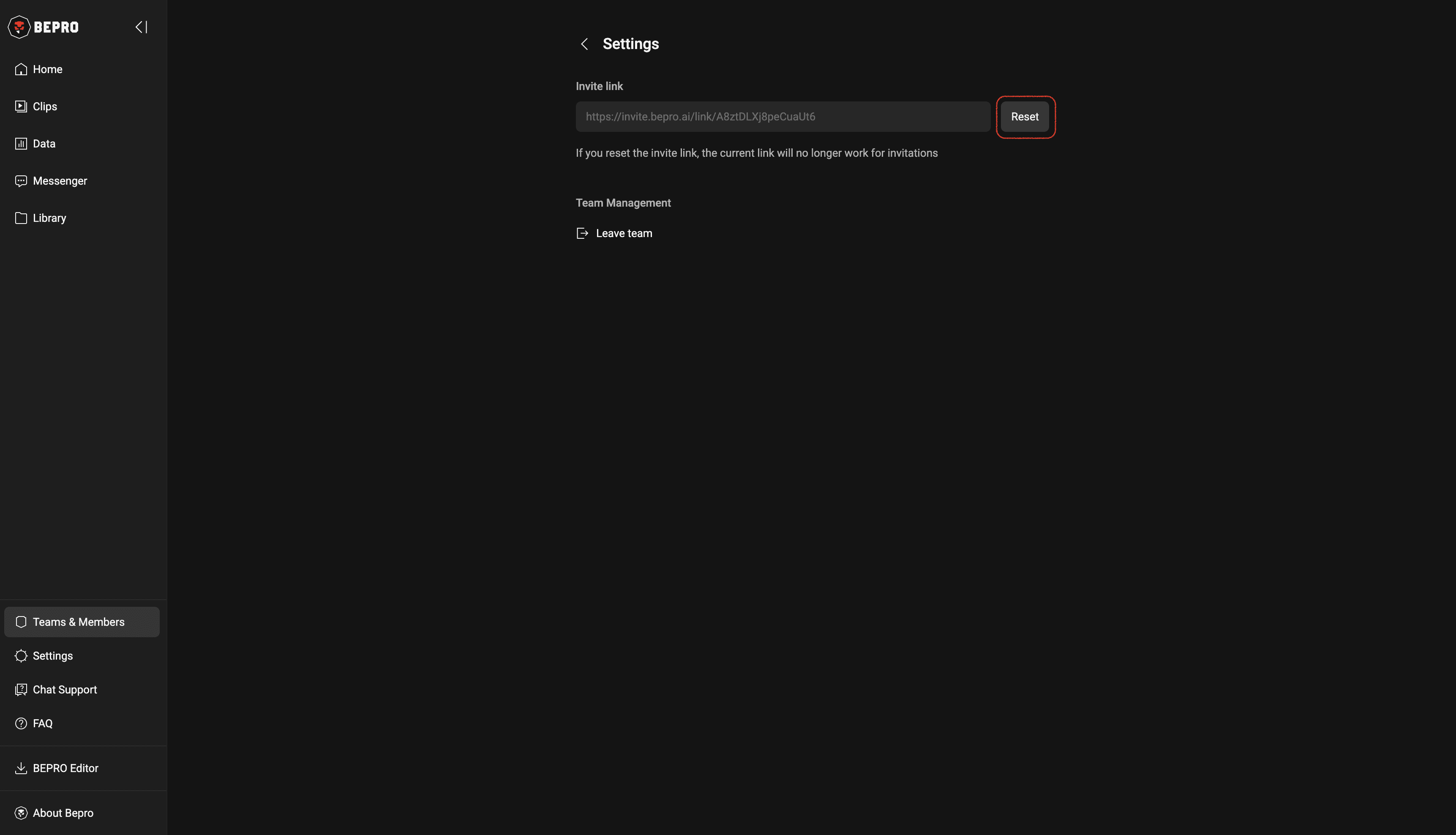
After entering the team settings page, wait a moment for the current invitation link to appear, with a reset button on the right.

Click this button to proceed with resetting the link.
‍

__wf_reserved_inherit

‍

Once the link reset is complete, please share the new invitation link with the members you wish to invite.

Previous

Invite team members

Next

Manage team members