BEPRO Space
BEPRO Editor
Cerberus
Login & Signup
Request Match Analysis
0
BEPRO Space
Basic
All Users
Upload video to event
Learn how to upload videos to a schedule event
💡
Prerequisites
Creating match and training schedules in BEPRO Space
Video files that you've recorded directly
If you have match or training videos that you've recorded directly and have created the corresponding schedule in BEPRO Space, you can upload videos to that schedule.
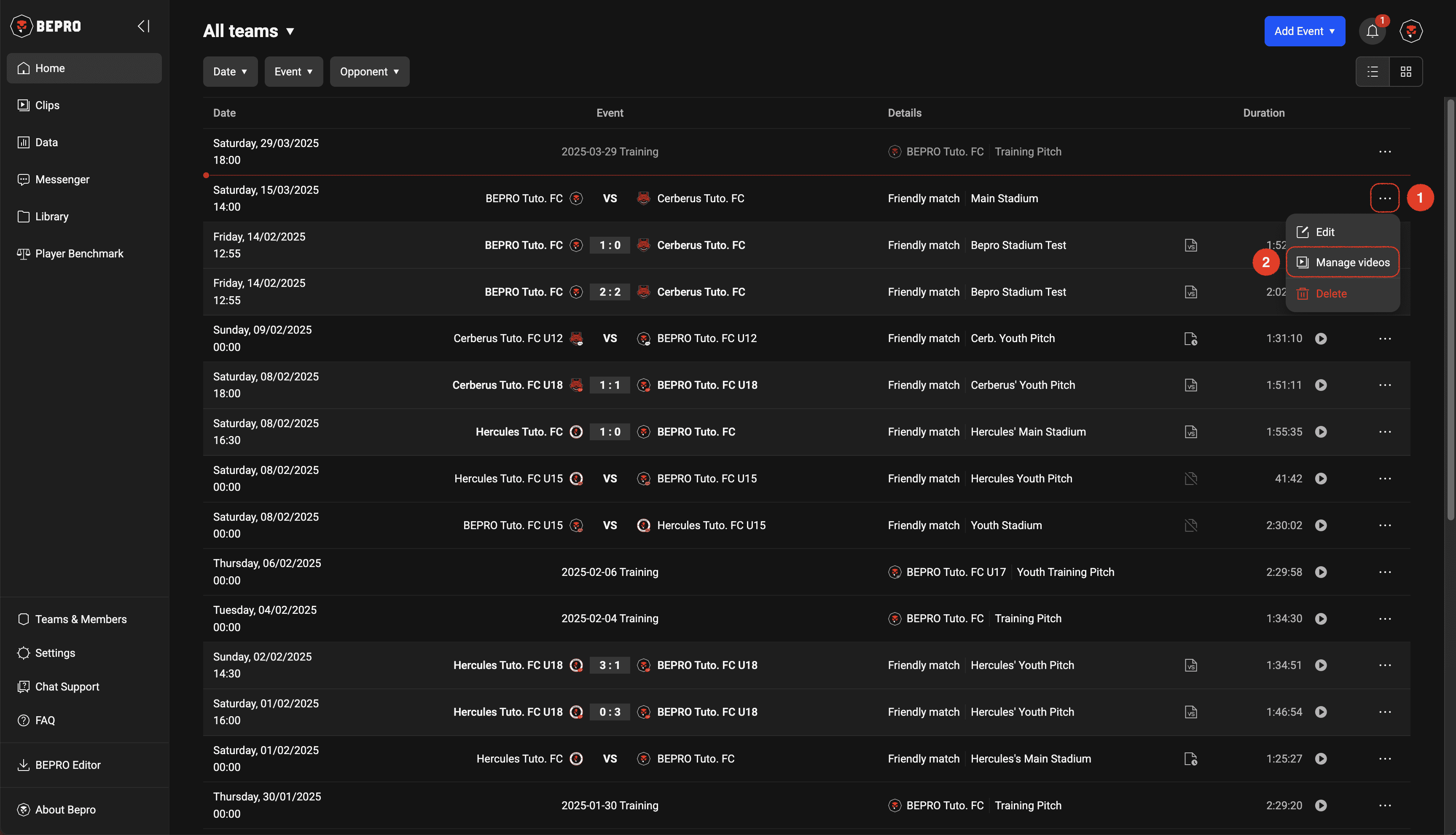
First, press the more options button on the right of the schedule you want to upload videos to, then select the Manage Videos menu.
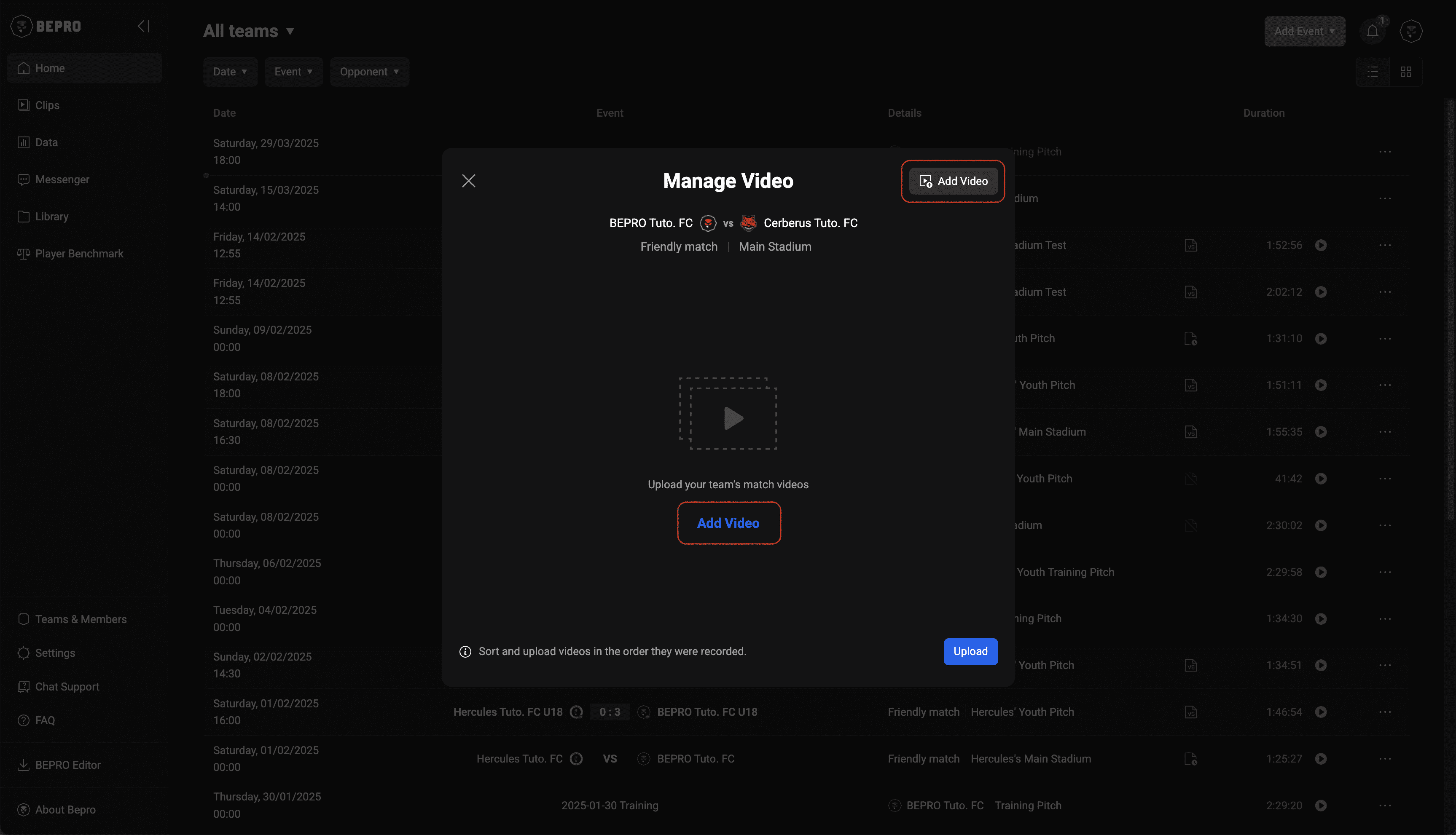
When the video upload modal appears, click the Add Video button, then select and add those videos from your computer.
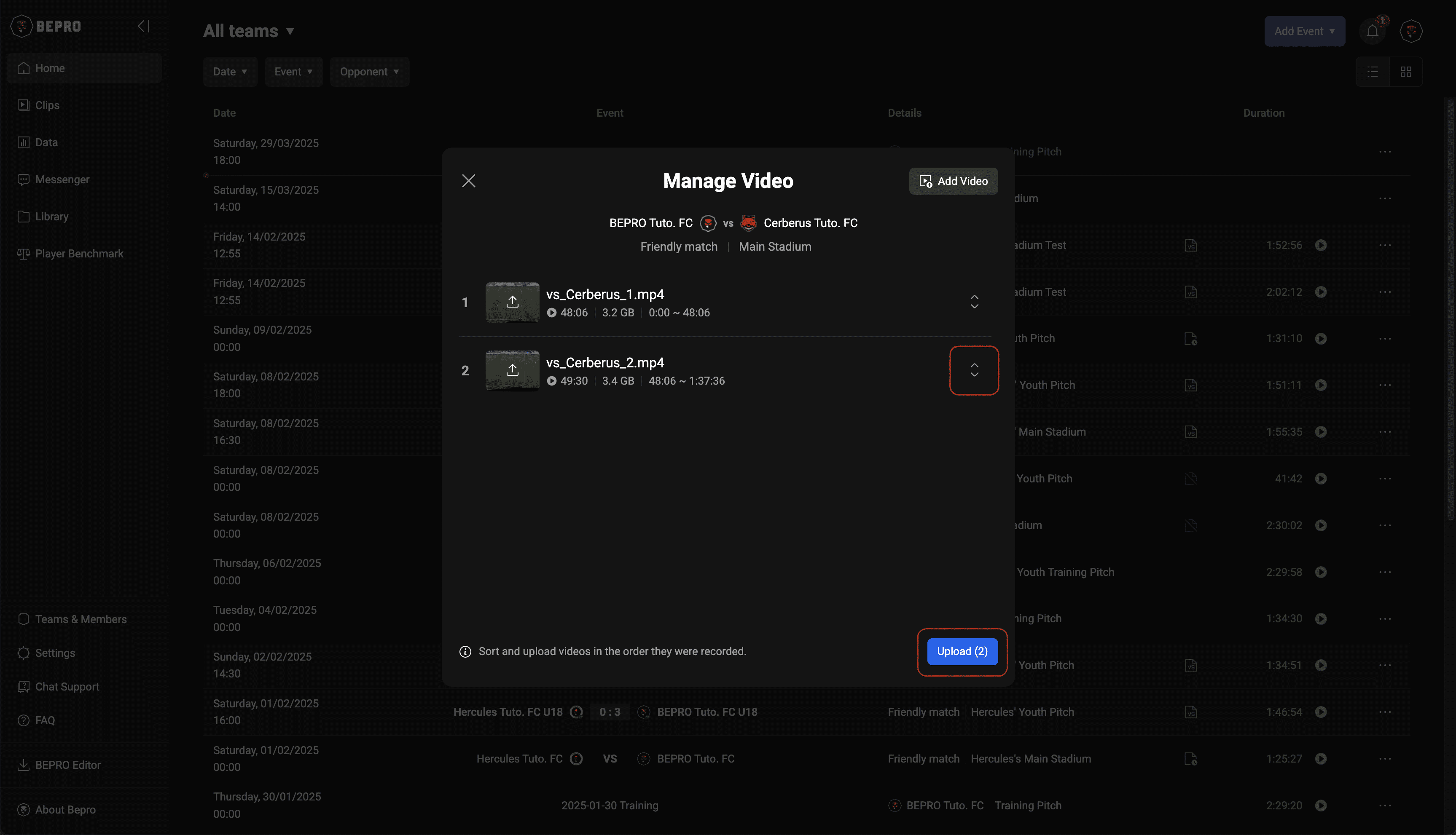
Please check that all videos have been added and that they are sorted in order.
You can change the video order by clicking and dragging the handle on the far right.
Once you've completed all checks, please press the Upload button.
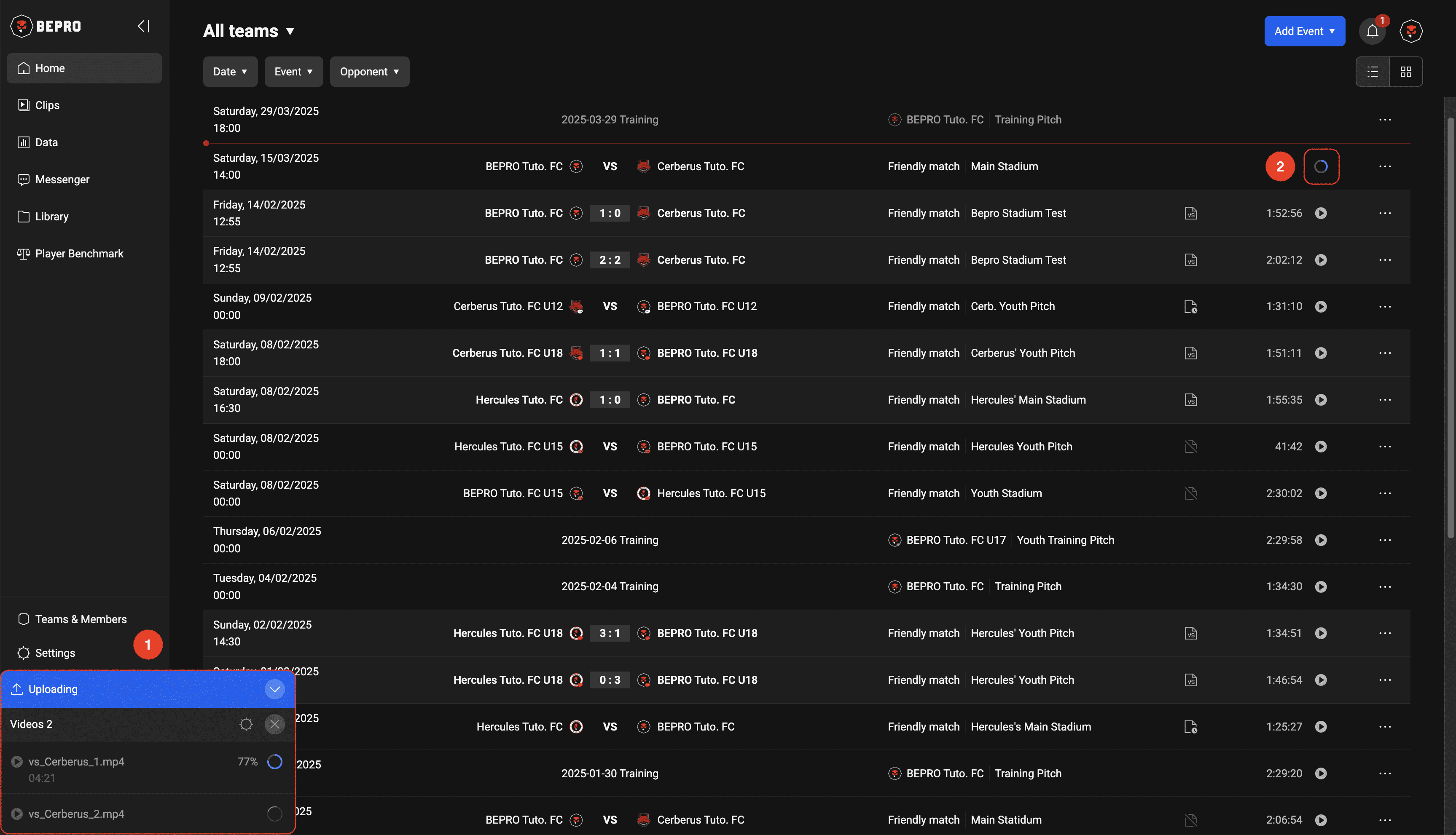
When the video upload begins, an upload status popup will appear in the bottom left of the screen.
The progress is also displayed on the far right of that schedule.
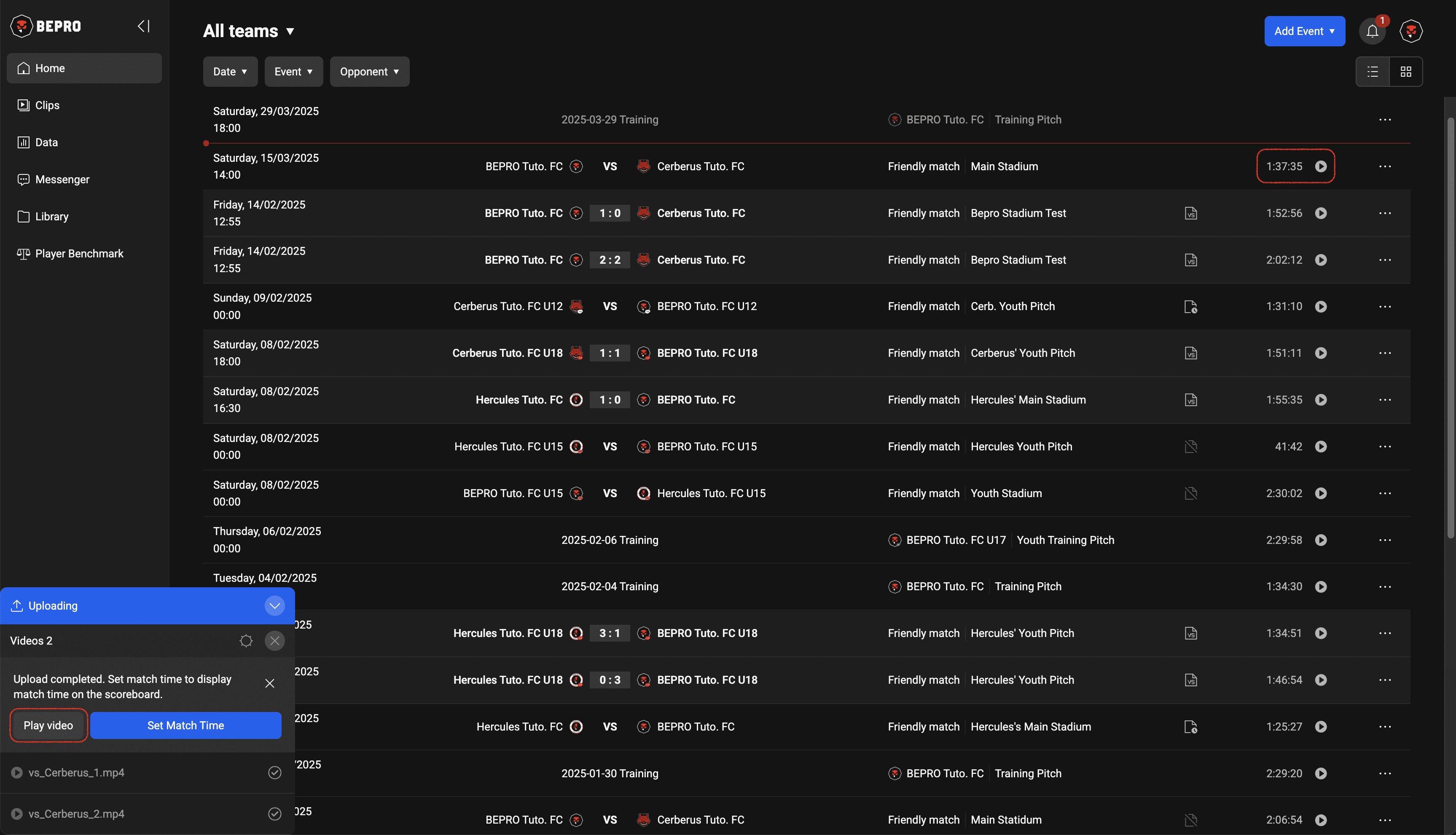
When the upload is complete, you can play the video by clicking the Play Video button in the popup guidance message, or the video play button on the right of that schedule event.
For matches, there is a Set Timing menu for setting the match time to show in the scoreboard in the upper left corner.
please refer to the next article for this feature.
Previous
Next