BEPRO Space
BEPRO Editor
Cerberus
Login & Signup
Request Match Analysis
0
BEPRO Space
Advanced
Staff or Above
What is analysis request?
Let's learn what's the match analysis request.
💡
Prerequisites
Event analysis service or Optical tracking service
Match analysis request refers to requesting BEPRO to analyse a match that has video footage but has not yet been analysed.
During this process, you enter the player lineup and formation information, and after verification with a BEPRO analyst, the analysis begins.
In team-level or league-level contracts, BEPRO may analyse matches directly without a separate analysis request, depending on the agreement.
However, if you want to analyse irregular matches such as friendly matches or practice games where starting lineups and formations cannot be confirmed online, you need to use this feature to request analysis.
There are two types of analysis: event analysis and optical tracking analysis.
For more detailed information about each analysis service, please check the links below.
Event Analysis Service
Optical Tracking Analysis
How to Access Match Analysis Request
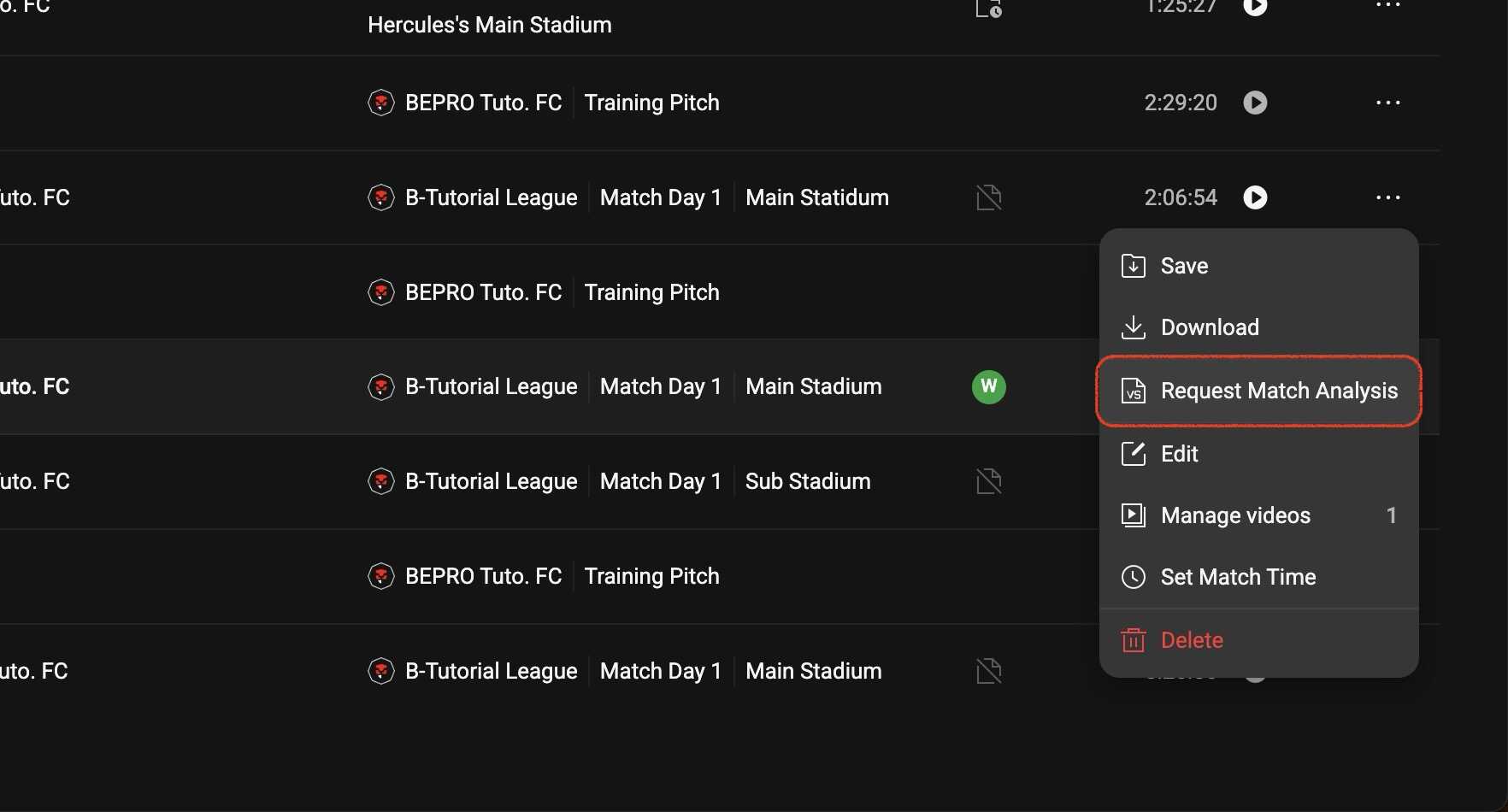
First, from the home screen, click the more options button on the right of the match item you want to analyse, then select "Request Match Analysis" menu.
Basic Configuration
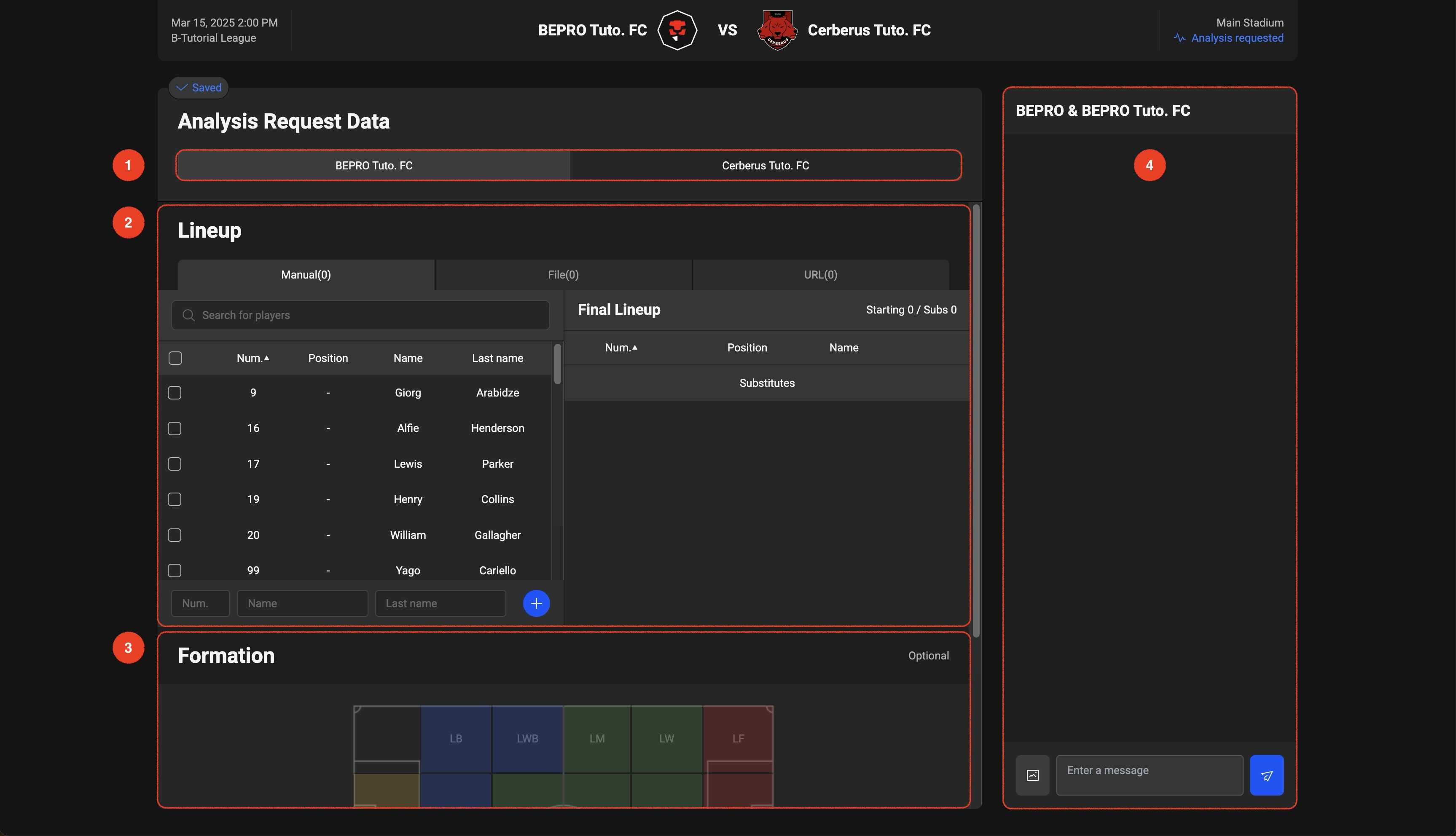
The match analysis request screen is configured as follows
1. Team Selection
For match analysis, you first need to enter your team information.
If you have the opponent team's record sheet, entering or providing it will allow the analysis results to show the opponent player information more accurately.
2. Lineup Entry
There are three ways to enter lineups: direct entry, file attachment, or URL attachment.
Any method is acceptable. However, if you send a photo of a handwritten record sheet, it may be difficult to identify the text, resulting in typos in player names or jersey numbers. While providing a URL to an official match website is possible, sometimes last-minute changes made at the venue may not be reflected.
Therefore, direct entry is the most recommended method.
3. Formation Entry
Formation entry is optional, but entering it greatly helps with player identification, enabling faster and more accurate analysis.
4. Chat with BEPRO Analyst
The BEPRO analyst checks the information you've provided and the overall condition of the video to determine if analysis is possible.
If the video quality is too poor or player identification is impossible due to sunlight or rain, analysis may not be possible.
If the BEPRO analyst requests information verification during this process, communication takes place through this chat window.
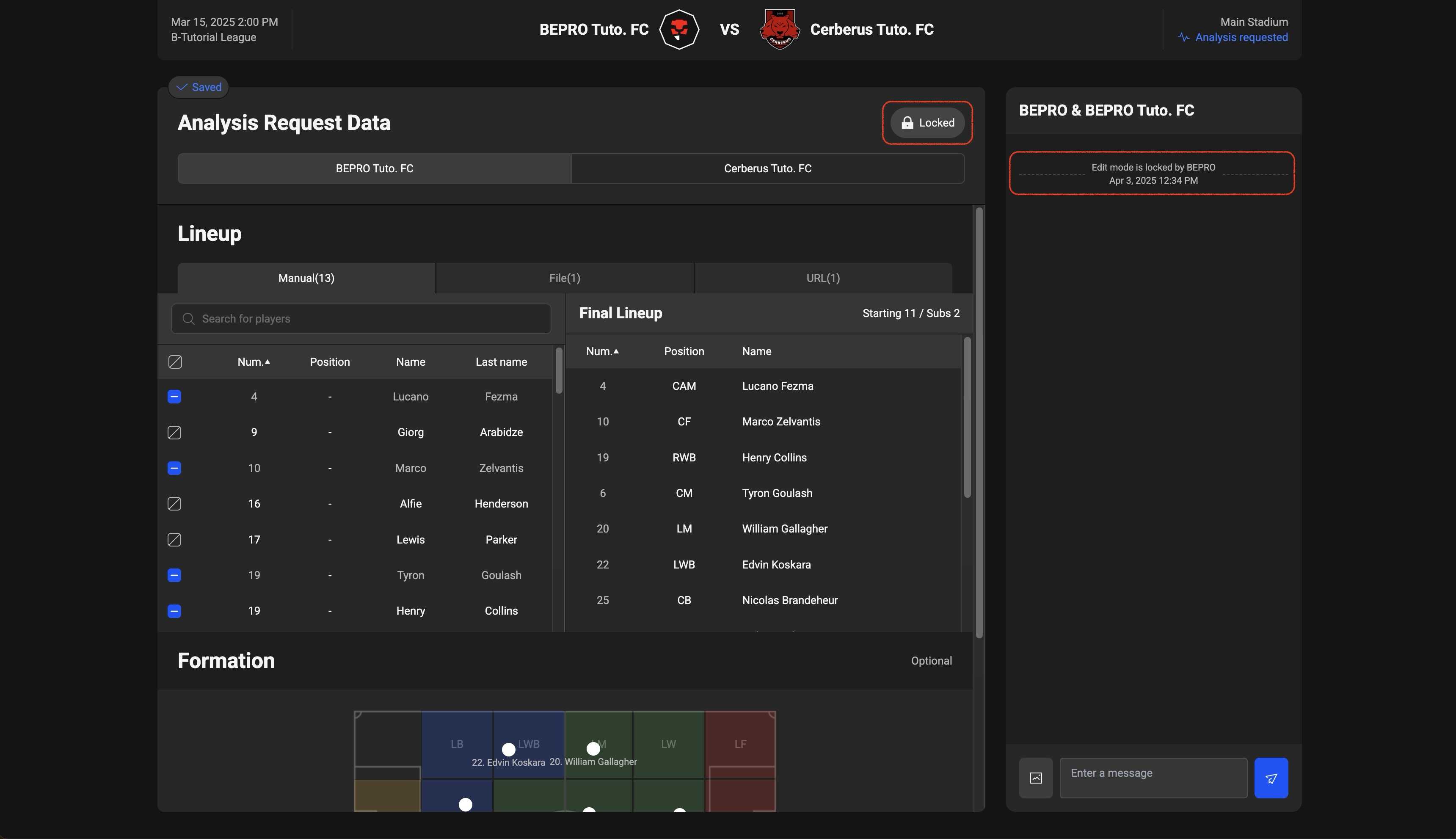
Once all verification is complete and analysis begins, the information entry sheet is locked and can no longer be modified. If you have any questions about the analysis results, you can inquire through the chat window.
Previous
Next