BEPRO Space
BEPRO Editor
Cerberus
Login & Signup
Request Match Analysis
0
BEPRO Space
Basic
All Users
Team Data
Team's individual match data and statistics, event-based player ranking tables, and bespoke reports
💡
Prerequisites
Event data : Event analysis service
Physical data : Optical tracking service
Bespoke report: Bespoke report service
Team data can be accessed by clicking the Data button in the side menu, and the Data button appears only when there are matches analysed through BEPRO's analysis service.
Let's first look at the Overview menu.
Overview
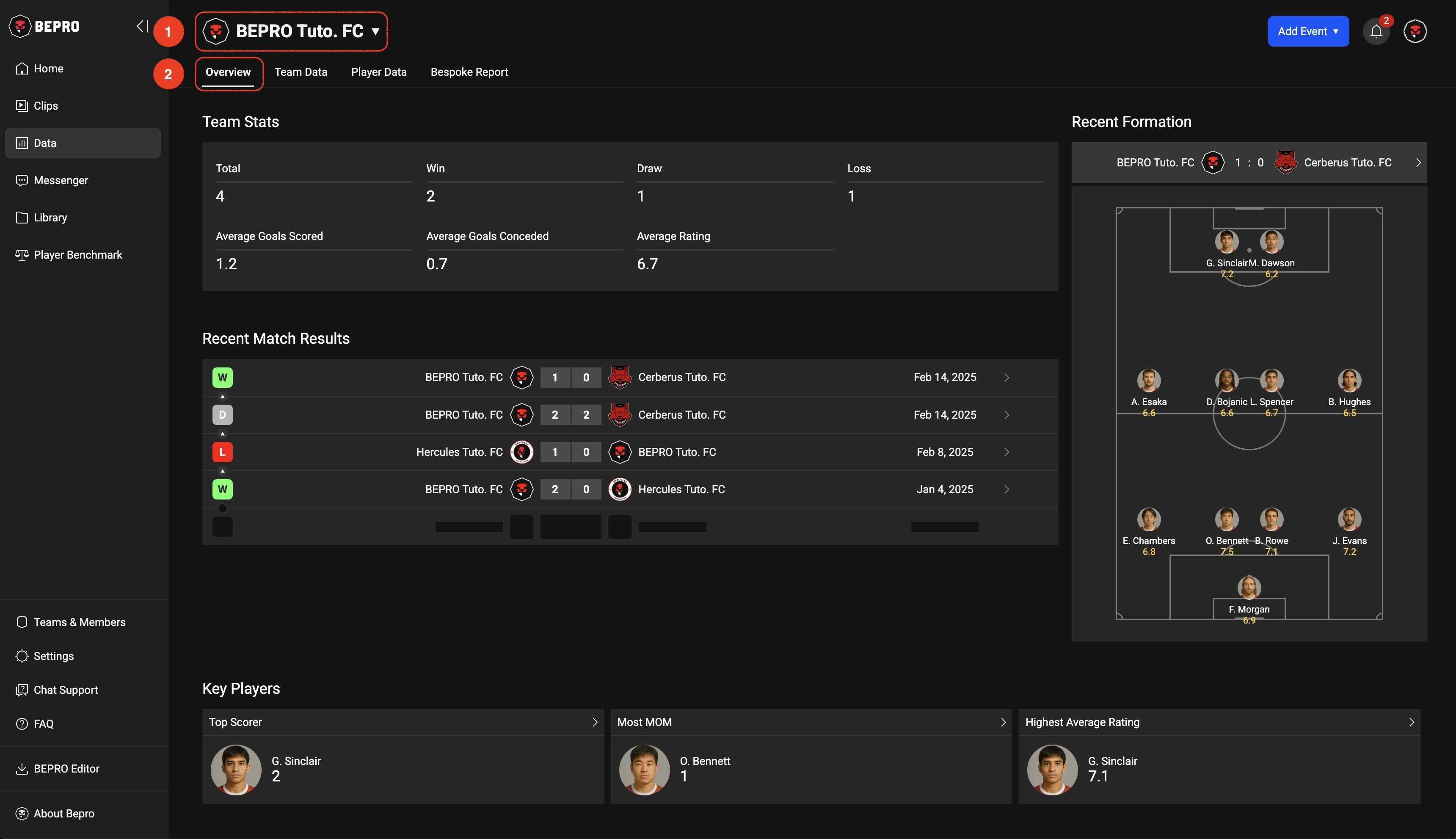
At the top of the team data page, information about the currently selected team is displayed.
If you belong to multiple teams, you can press this button to select a team, player, or league.
The Overview menu consists of indicators that allow you to quickly check the team's recent performance, including Team Stats, Recent Match Results, Recent Formation, and Key Players.
Team Data Table
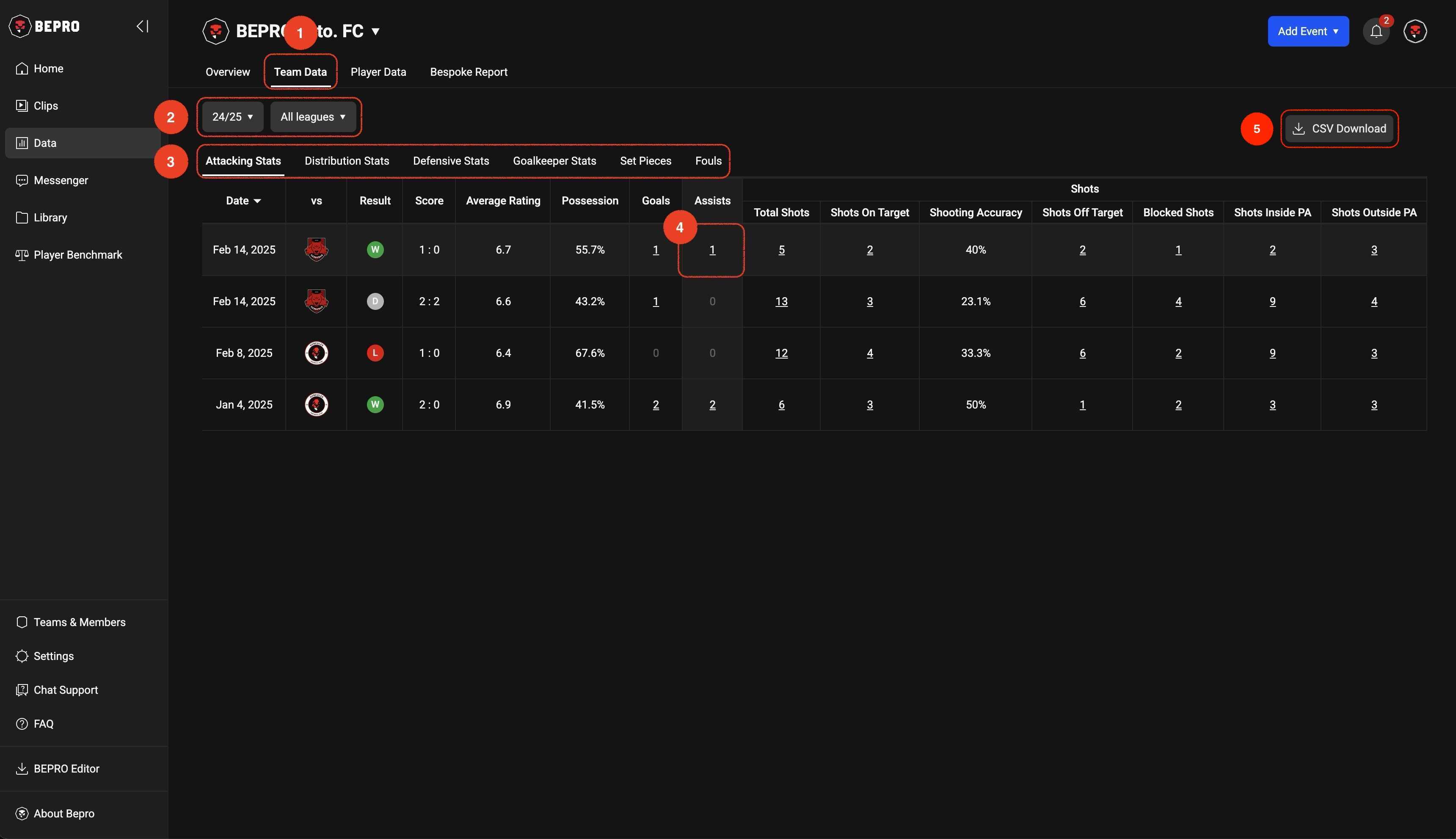
Team data allows you to select a season and league, and below that, event types are provided as tab menus.
If physical data analysis has been conducted, the physical data menu will also appear in this tab menu.
Numbers indicating the frequency of events within table cells are underlined, and clicking on these data points will play the connected video.
You can also download all types of data for the currently selected season and league by clicking the CSV Download button in the upper right corner.
Player Ranking
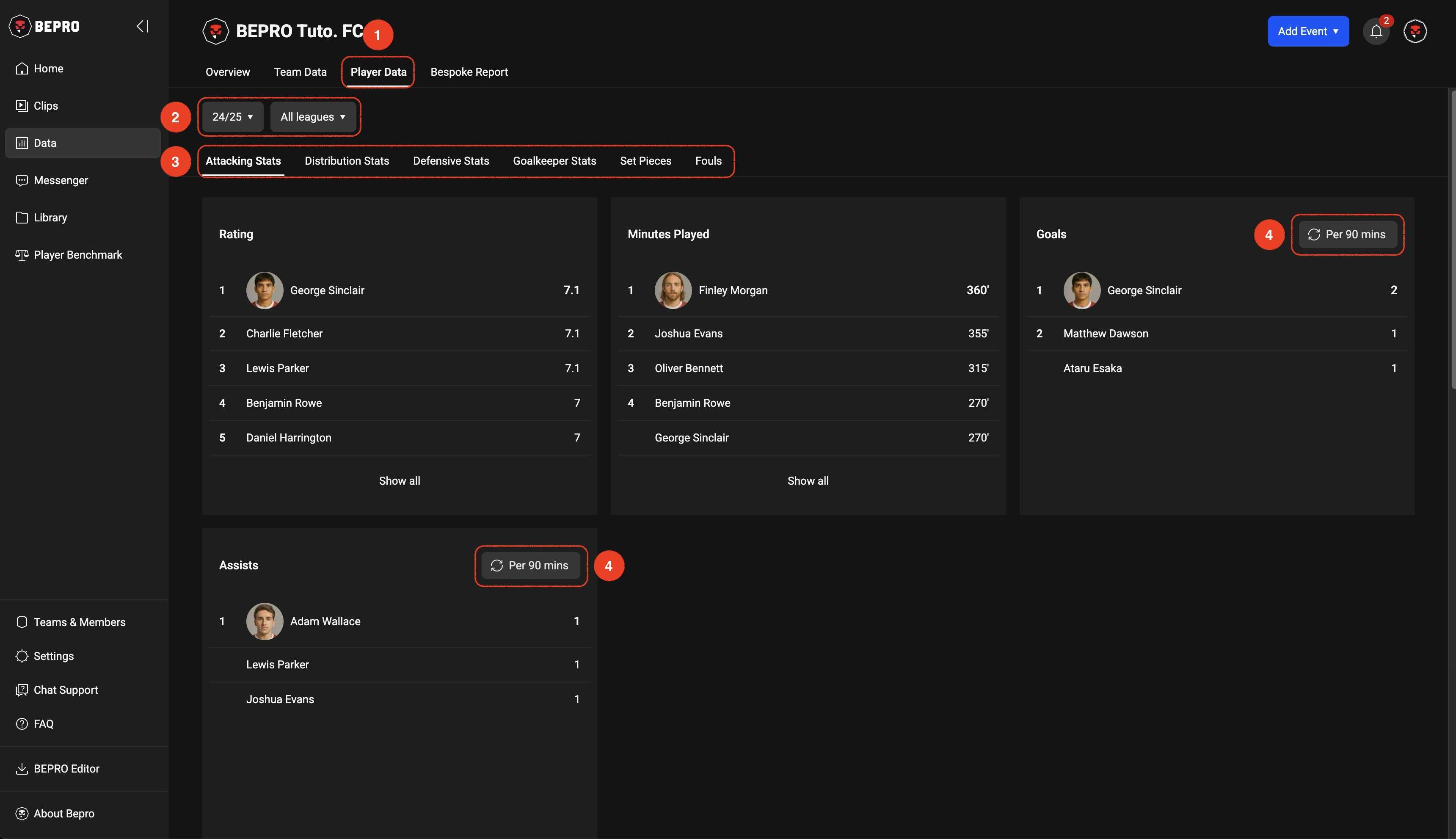
'Player Data' shows player ranking tables for each event.
Like the Team data table, you can select season, league, and event type, and for some events, there are buttons that convert the data to a per-90-minutes basis.
Bespoke Report
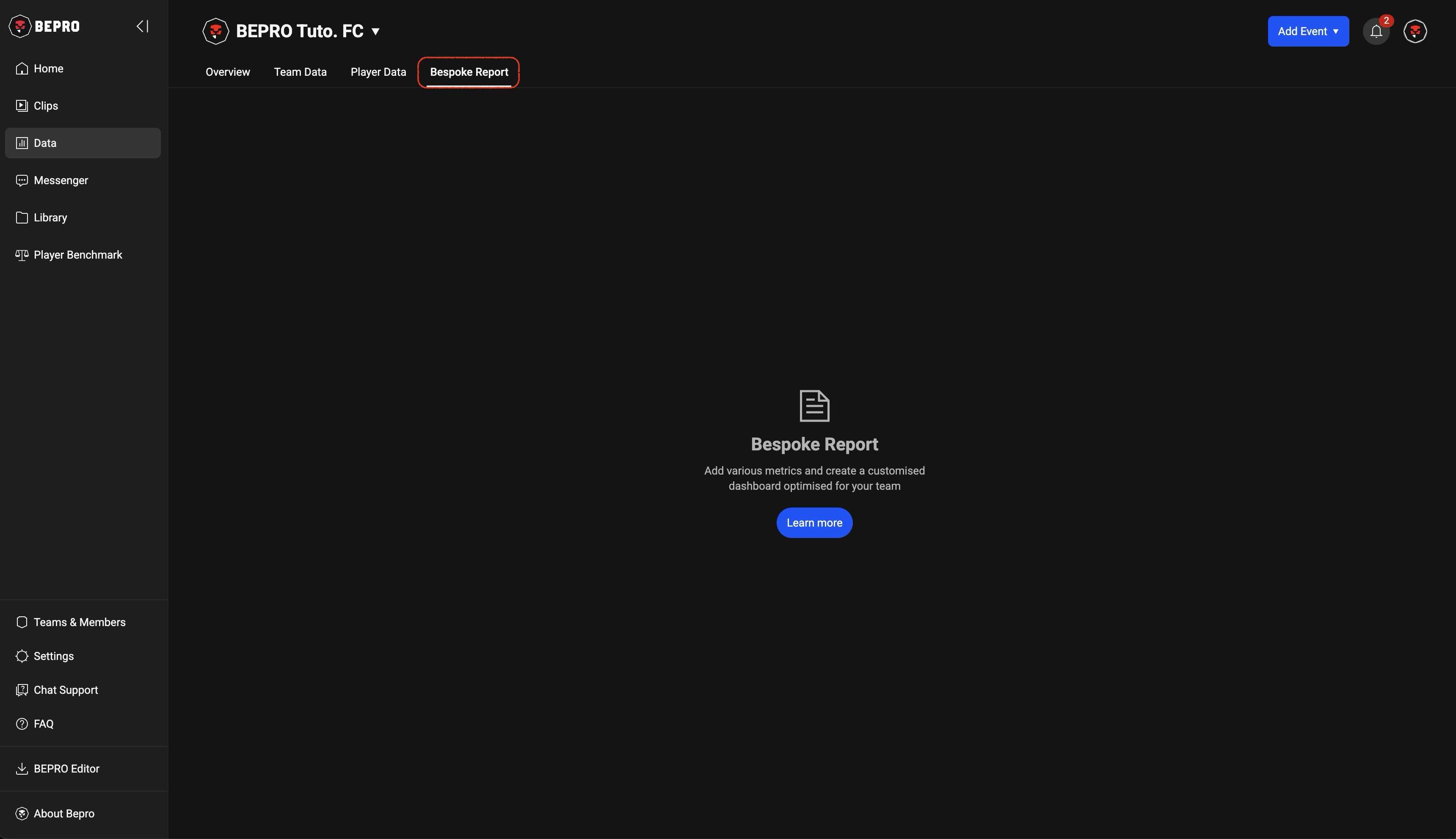
'Bespoke Report' is a product that helps teams by creating customised data reports that can be used for each match, developed through discussions with BEPRO.
While there are no examples that can be shared publicly, customer teams use it for purposes such as setting up more complex situations and tracking how many times they occur, or creating models that comprehensively consider special criteria for evaluating players according to team philosophy.
Please refer to the content on the Bespoke Report page below for more details.
Bespoke Report Serivce
Previous
Next