BEPRO Space
BEPRO Editor
Cerberus
Login & Signup
Request Match Analysis
0
BEPRO Space
Advanced
All Users
Player Data
Player stats and data report
💡
Prerequisites
Event data : Event analysis service
Physical data : Optical tracking service
Bespoke report: Bespoke report service
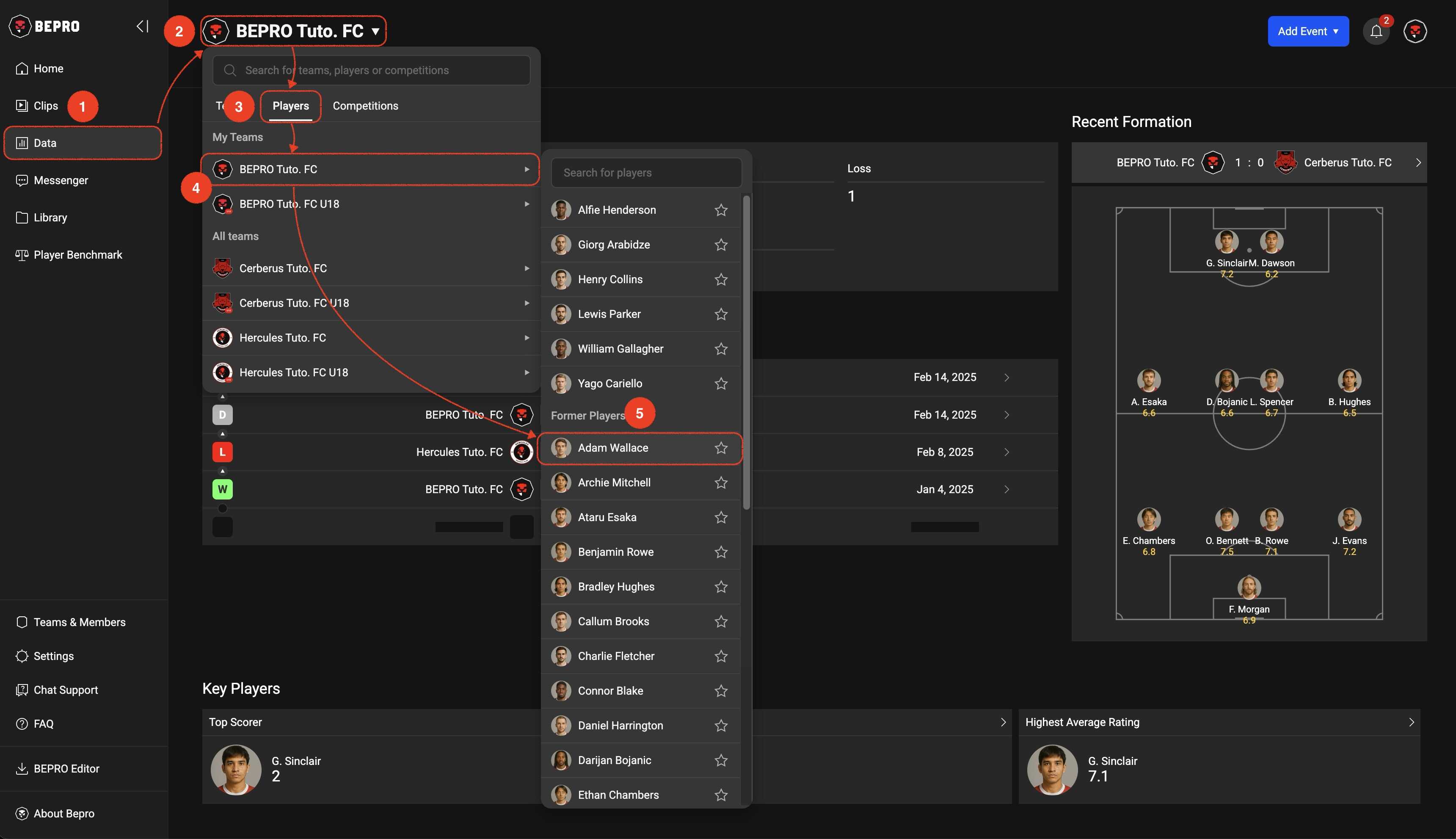
To access player data, go to the Data page from the side menu, then press the target button at the very top of the page to select a player.
In the target selection inline popup, you can either select the player tab and search for a player, or select a team item and then choose the desired player from the player list that appears.
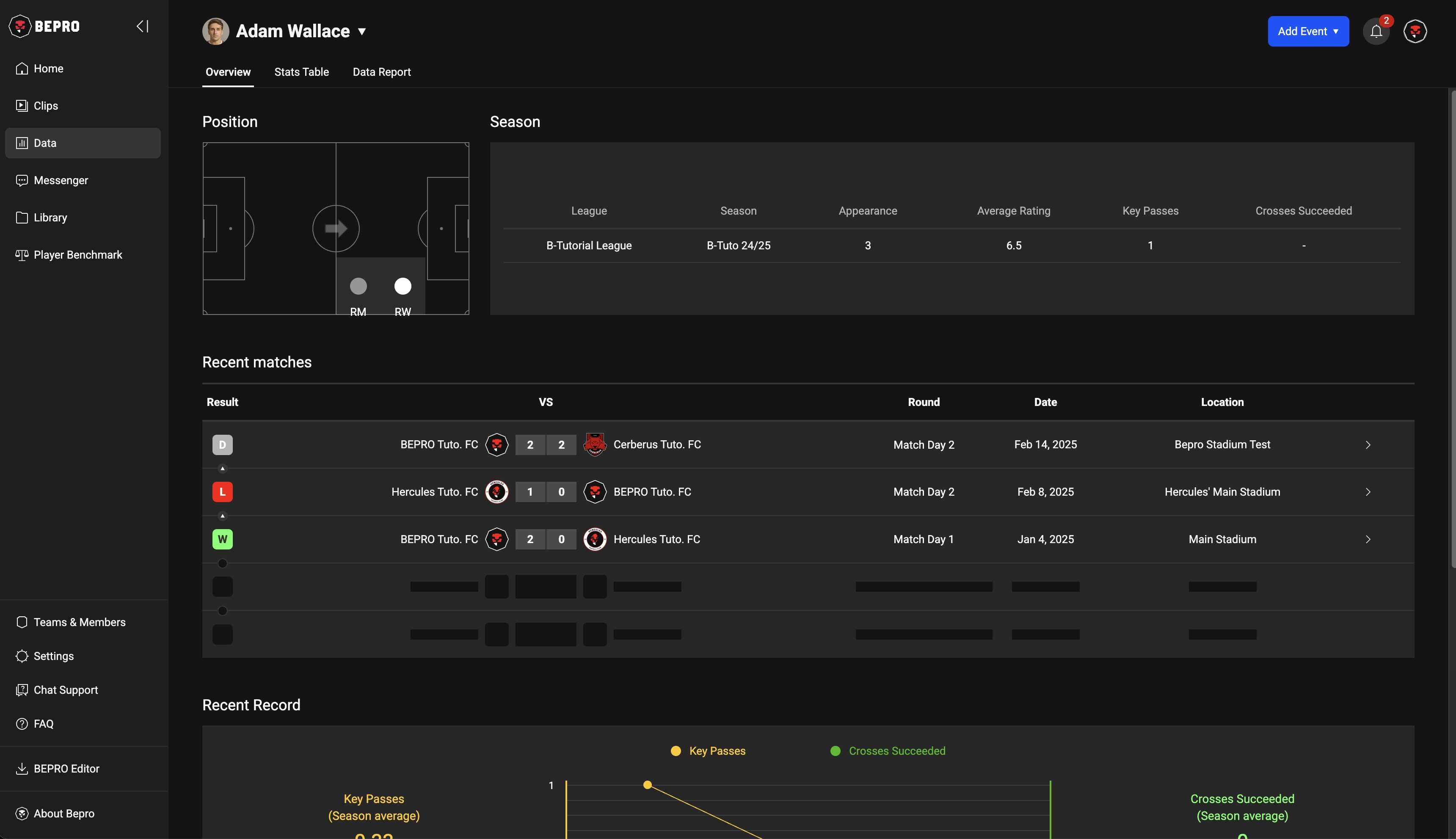
Overview
The player data Overview displays information about the positions the player frequently plays, key statistics by season, recent match results, and key data cards according to position.
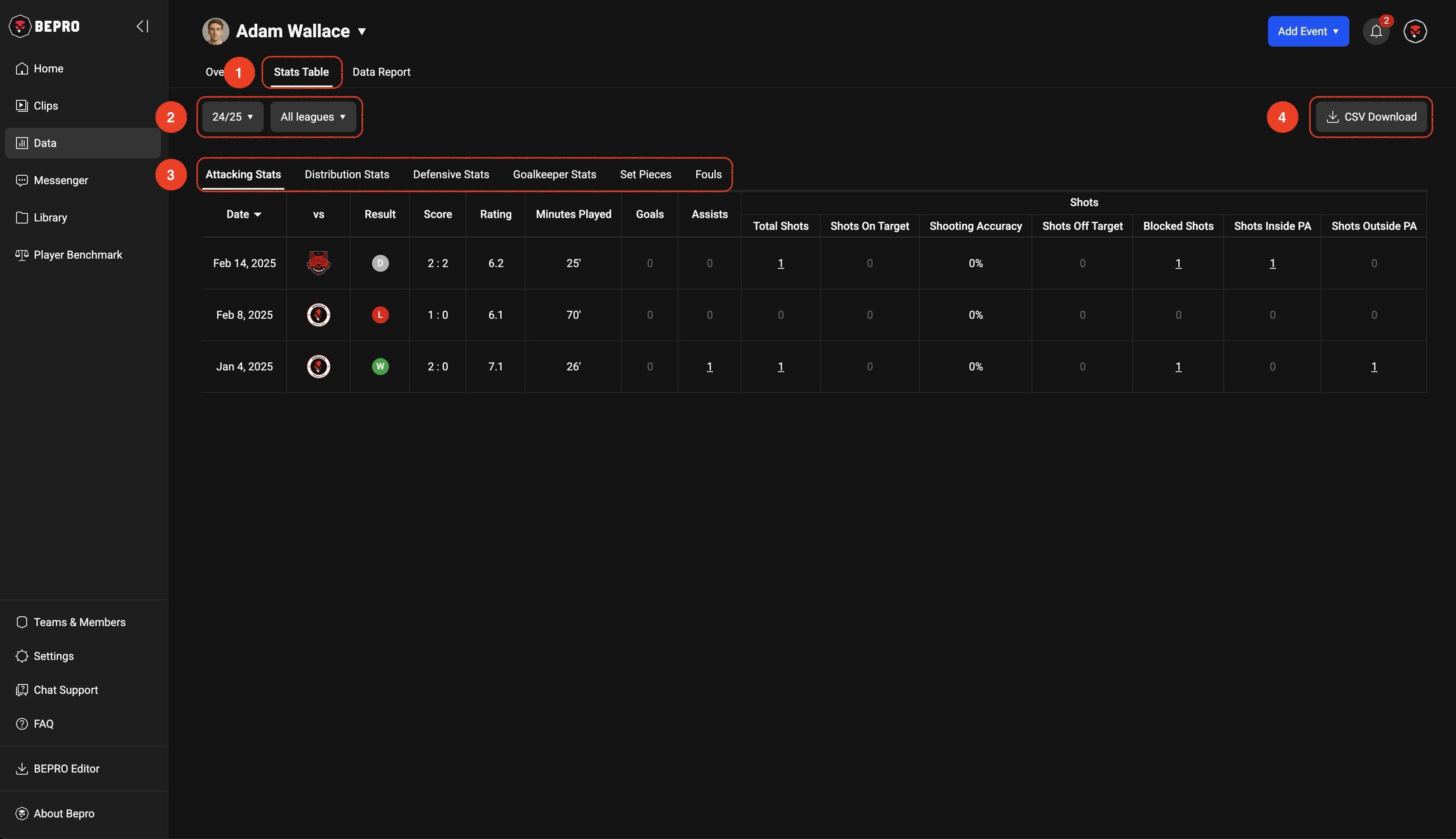
Player Stats Table
The player stats table allows you to select season, league, and event type.
Among the values in the table cells, those with an underline will play connected videos when clicked.
Clicking the 'CSV Download' button in the upper right corner will download all types of event data as a file.
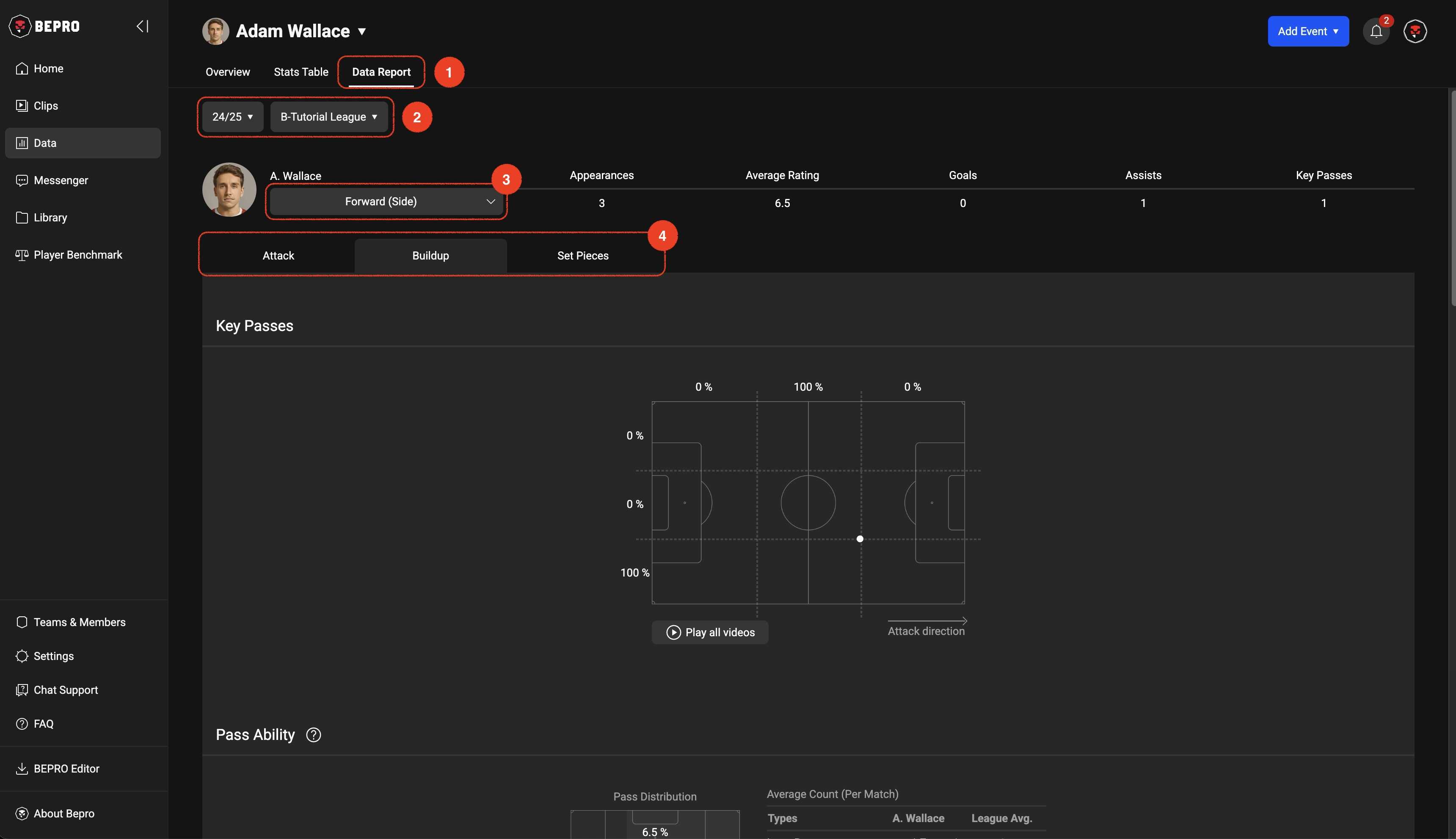
Data Report
Data reports can also be filtered by season and league.
If the player has played multiple positions, you can view reports by position, and report tabs are configured according to the selected position.
Previous