BEPRO Space
BEPRO Editor
Cerberus
Login & Signup
Request Match Analysis
0
BEPRO Space
Basic
All Users
What is messenger?
Let's learn about messenger
Messenger is a feature that allows coaches and players to communicate within BEPRO Space by exchanging videos and messages.
After matches or training sessions, coaches or managers can share videos and messages with specific players or player group channels and communicate by adding comments.
While face-to-face meetings and coaching are good, this has the advantage of being able to provide and receive guidance anytime, anywhere.
The basic structure of the Messenger page is as follows:
Messenger Page
You can access the Messenger function through the "Messenger" menu in the sidebar.
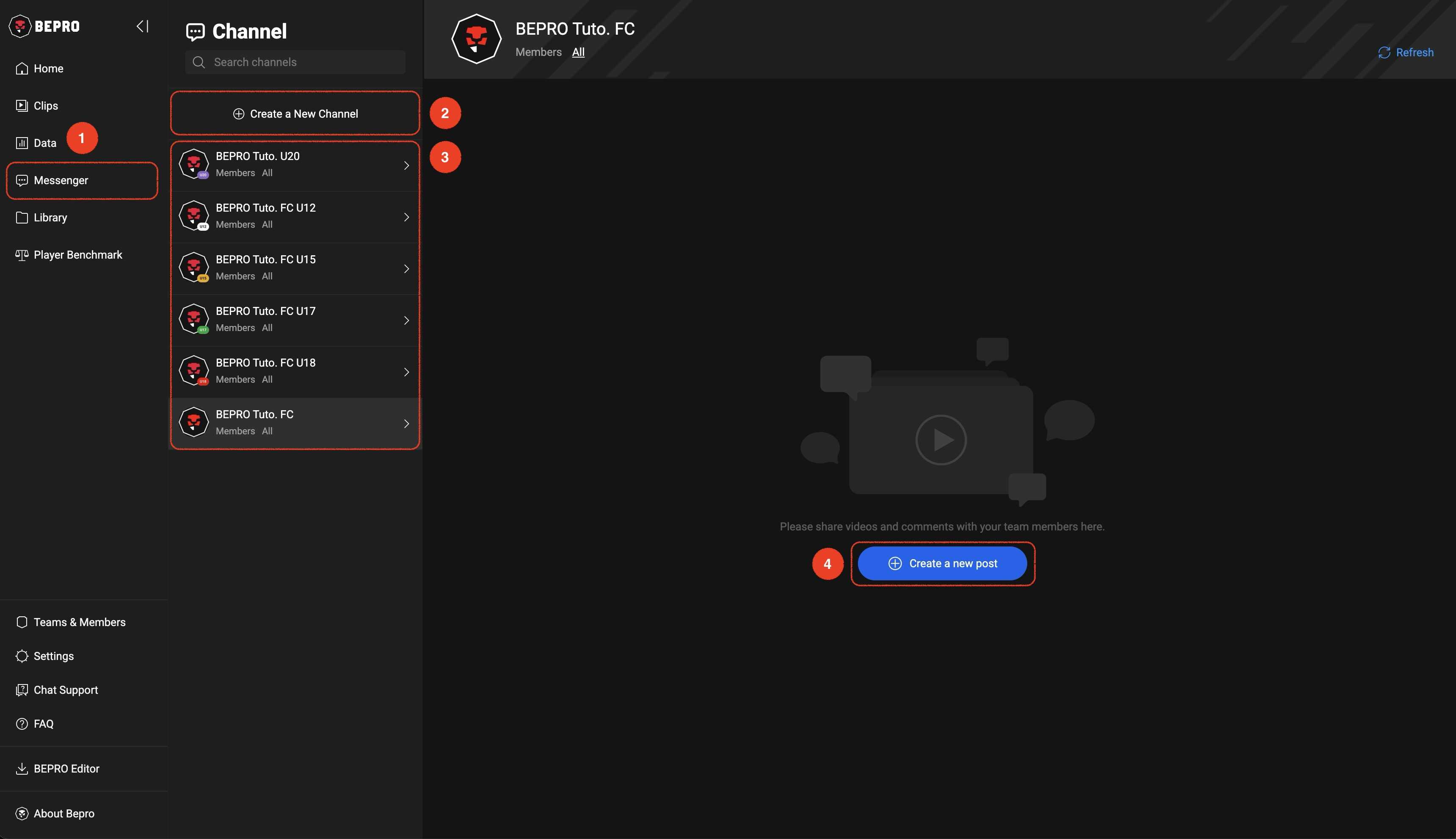
You can create spaces called Channels, similar to chat rooms, and invite team members.
By default, team channels with all your team members participating appear in the list.
When you select a specific channel, a button appears on the right that allows you to create a new post in the channel.
Next