Help Center

EN

Go to Main Page

Help Center

BEPRO Space

BEPRO Editor

Cerberus

Login & Signup

Signup

Login

Reset password

Team

Join a team

Create a new team

Invite team members

Reset team invitation link

Manage team members

Viewer permission setting

Schedule

Create a match event

Create a training event

Upload video to event

Set Match Time

Schedule filters

Video

BEPRO Video Player

Full Match & Training Videos

Event Clips

Match Highlights

Player Highlights

Data

Event Data

Physical Data

Event Definitions

Team Data

Player Data

Request Match Analysis

What is analysis request?

Register Lineup

Register Formation

Library

What is Library?

Save videos in library

Share folder

Messenger

What is messenger?

Create a channel

Create a post

Comment on post videos

0

BEPRO Space

Basic

All Users

Match Highlights

Let's learn how to play match highlights

๐Ÿ’ก

Prerequisites

Analysed match

Match highlights are only provided for matches analysed by BEPRO.
For detailed information about match analysis services, please check the Event Analysis page.

โ€

When match analysis is completed, game highlights are created by bundling the major events from the analysed events for each sport.

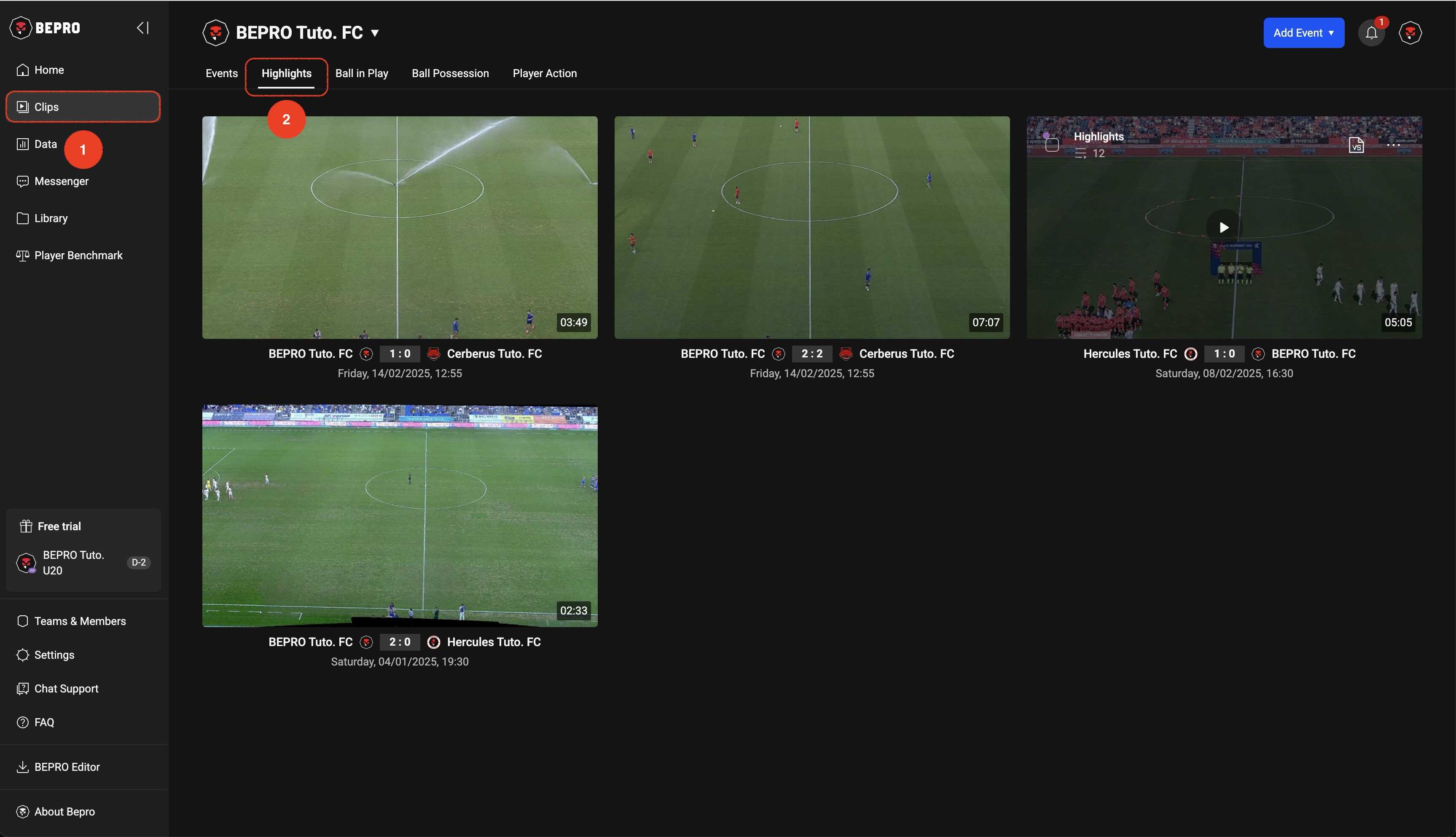
You can view highlight videos by clicking the Clips menu in the sidebar and then selecting Highlights from the top tab menu.
โ€

__wf_reserved_inherit

โ€

โ€

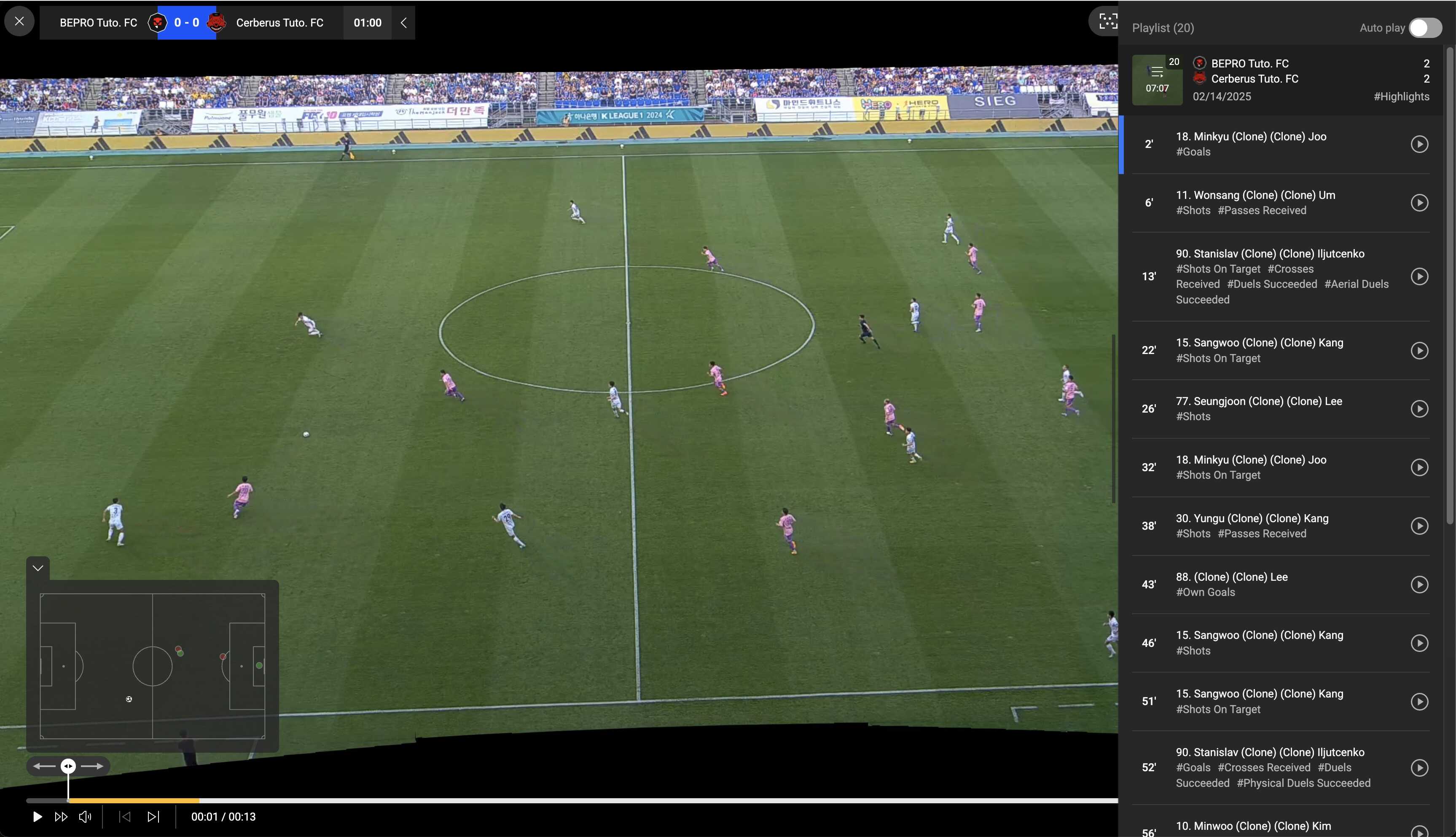
When you play a highlight, you can view the individual clips that make up that highlight in the right panel.
โ€

__wf_reserved_inherit

Previous

Event Clips

Next

Player Highlights