BEPRO Space
BEPRO Editor
Cerberus
Login & Signup
Request Match Analysis
0
BEPRO Space
Basic
All Users
Save videos in library
Let's learn how to save videos in library
💡
Prerequisites
Videos uploaded to match or training schedules
You can save match or training videos and event clips to your library while watching them in the BEPRO space.
On mobile, there's a simple editing feature that allows you to cut and save only parts of longer videos, but on the web, you can only save the entire video.
In this article, we'll use the process of saving a match video to the library as an example.
First, find a match or training video that has been uploaded from the home screen.
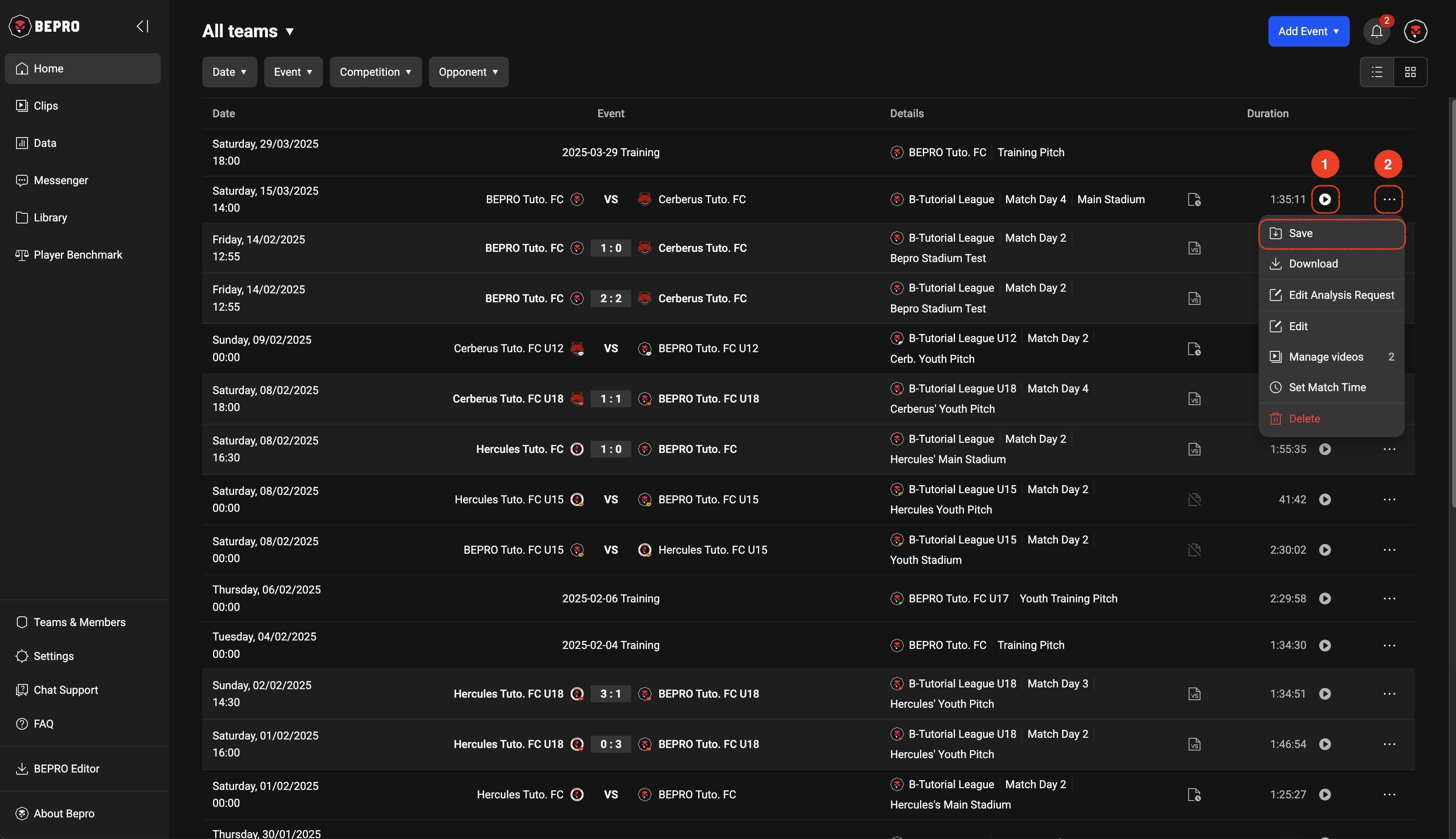
While you would typically save to the library while watching a video, if you already know exactly which video you want, you can click the Save button in the more options menu on the right side of the schedule item to save it directly to the library.
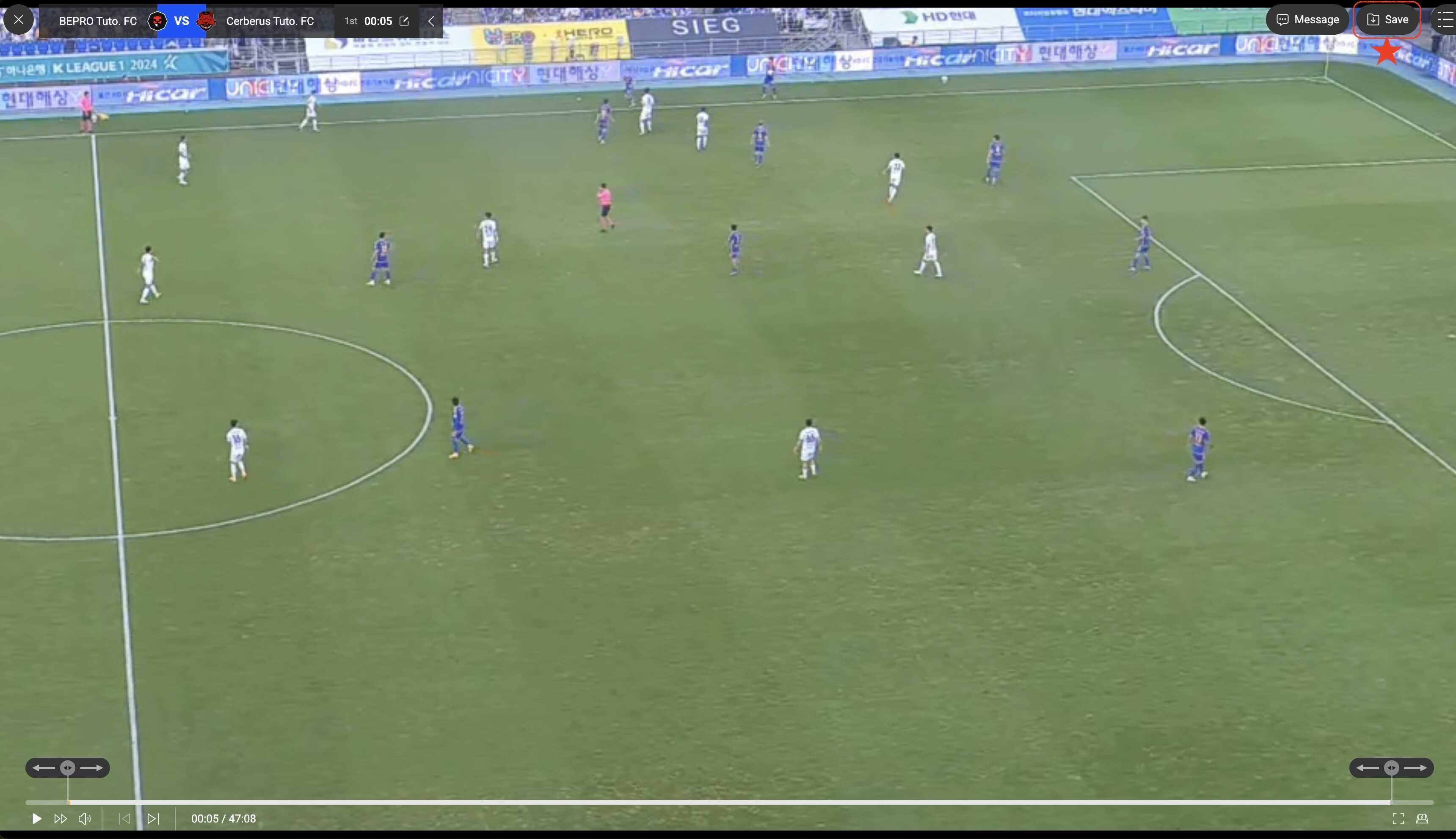
If you want to save to the library while watching a video, click the Save button located in the upper right corner.
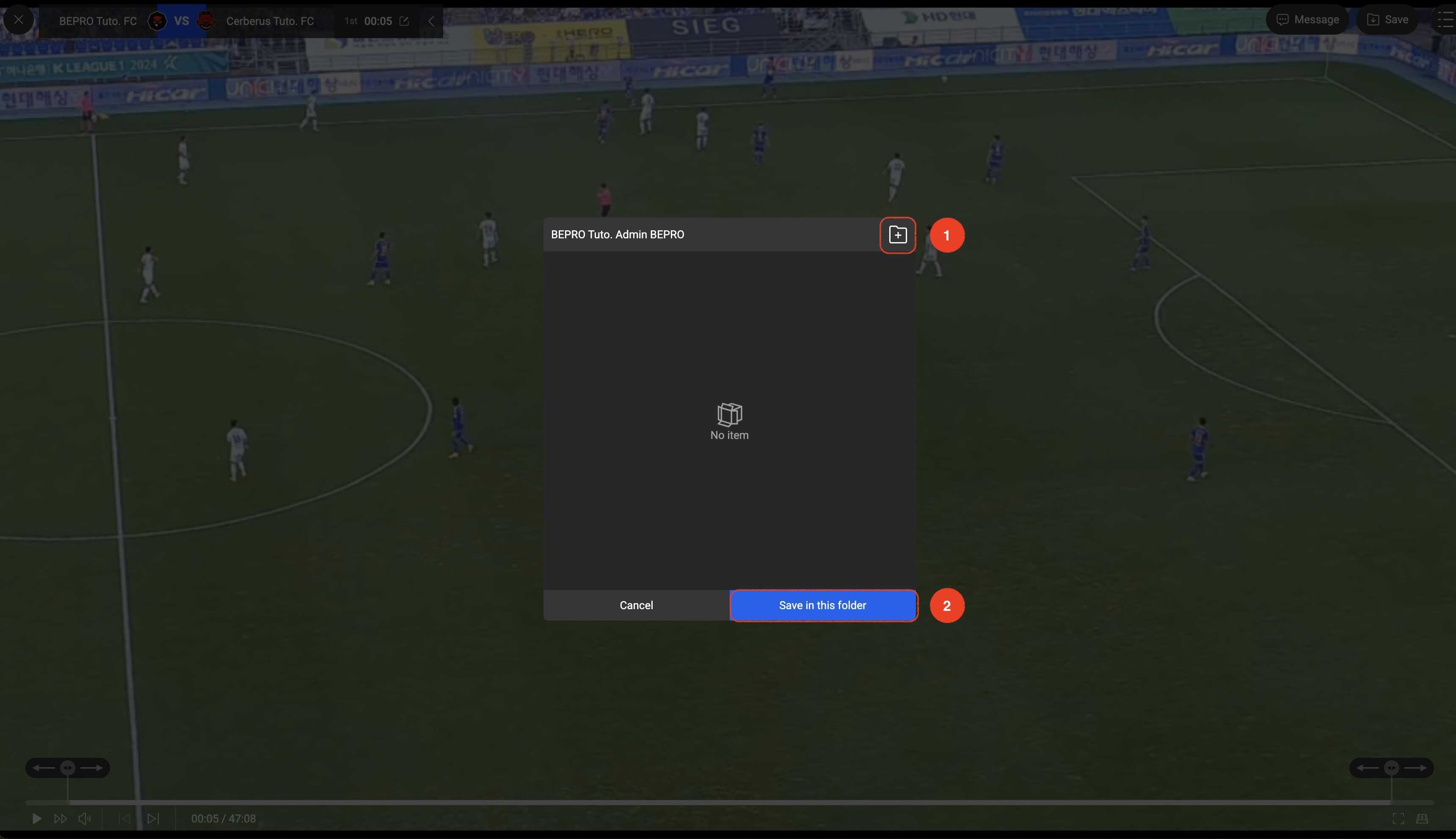
When the library save modal appears, navigate to the folder where you want to save the video, then click the "Save in this folder" button.
If you want to create a new folder, use the add folder button in the upper right corner of the modal.
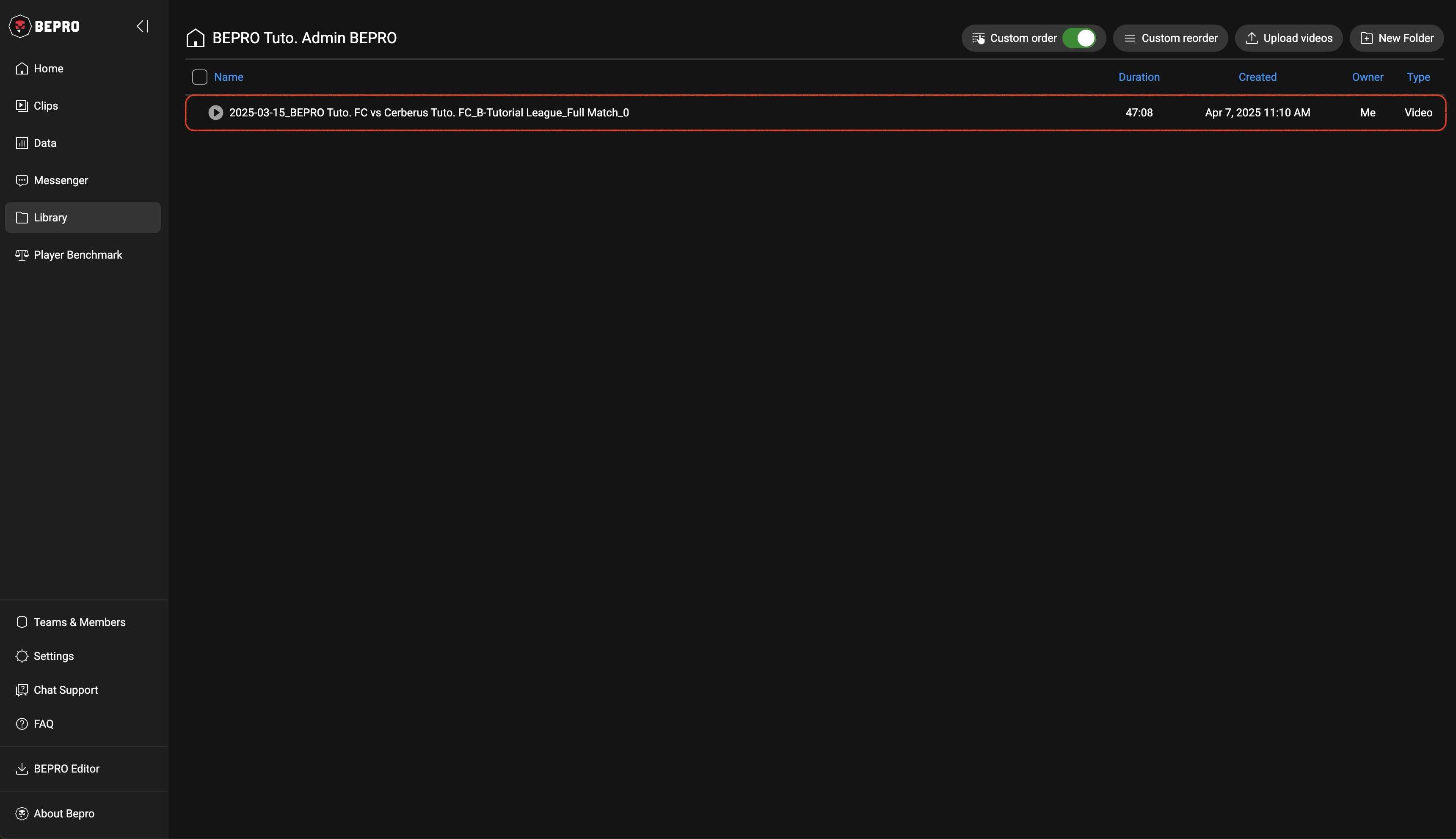
When saving is complete, a small toast message appears at the bottom.
If you go to the Library page, you can see the video you just saved in the list.
Previous
Next